by kalle | Jun 16, 2017 | Hacking, Server
How do you add certificates for a newly setup website? Like this:
sudo ./letsencrypt-auto run -d www.friluftslivifjallen.se,friluftslivifjallen.se --redirect
I have the old letsencrypt client installed so for a newer installation change letsencrypt-auto to certbot. More about the certbot command line options can be found here.
This post is just a quick self-reminder to be used in the future when I set up new sites on my server.
by kalle | May 13, 2017 | Hacking, Websidor
This guide explain how to setup Exim to be able to send emails from a LAMP server without needing to setup postfix or sendmail.
Though something in my setup seems to change my FQDN or similar so email sending stops working after a while. Will continue to investigate.
by kalle | Oct 9, 2015 | Hacking, Software development
Sometimes you just want to host some files locally on you machine. For instance when debugging javascript with webworkers importing javascript files, it is required that these files come from a web URL instead of a file://-URL.
Just saw this great suggestion on Stackoverflow. Start a local webserver using Python or Javascript and you now have the files available at http://localhost!
sudo python3 -m http.server 80
or if you do not have Python 3 installed
sudo python -m SimpleHTTPServer 80
by kalle | Jul 24, 2015 | Software development
When developing software using several different libraries etc it is always good to know which version of which library is used in a certain installation etc. Though there is no really easy way in Git to solve this as in CVS for instance with its keywords.
Though the following trick creates a nice way of keeping track.
The concept is to utilise GIT Hooks and that we write a script that generates a file with the versioning information in it and then our build system integrates this with the code. The following example is made using C but should be easy to adopt to other languages.
Create and edit the file .git/hooks/post-commit to look like this:
#!/bin/sh
#
version=$(git describe --tags --long)
echo "#define LIBRARY_NAME_VERSION \""$version"\"" > ./version.h
Make the script executable:
chmod a+x .git/hooks/post-commit
For this to work though you must have made a tag, see GIT Tagging. Once your repository is tagged you can test the script:
.git/hooks/post-commit
more version.h
You should have got something like this:
#define LIBRARY_NAME_VERSION "v0.4-0-g76ed9ef"
Now you can use this in your code for instance to output versioning information at startup.
And finally add version.h to your GIT ignore file or you will have a continuous flow of commits to include the latest change of this file, since it will change after each commit 🙂
echo version.h >> .gitignore
by kalle | Feb 25, 2015 | Arduino, Hacking, Hardware projects
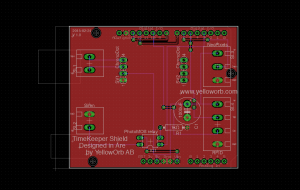
It was quite some time ago since I last designed a circuit board and had forgotten a bit of how Eagle works. Though the “Using Eagle board layout” tutorial from Sparkfun was a great start so just wanted to share that.